

Every way to export a Gemini chat in 2026
Gemini can export a whole conversation, and the control is not where most people look. Here is every route out and what each one drops on the way.
Gemini can export a whole conversation, and the control is not where most people look for it. It sits in the menu at the top right of the chat, not under any individual answer, and it holds two entries: Download PDF and Export to Docs. Both cover the entire conversation.
Underneath a single response there is a second Export to Docs that saves that one answer and nothing else. A table gets its own Export to Sheets. The whole account goes to Google Takeout. So the honest version is that Gemini exports more than its reputation suggests, and the real gaps are narrower and more specific than "there is no export button".
What Gemini exports natively
| What you want | Where it is | What you get |
|---|---|---|
| The whole chat as a file | Chat menu, Download PDF | A PDF of the conversation |
| The whole chat in Drive | Chat menu, Export to Docs | A Doc with the chat link and every turn |
| One response, formatted | Response menu, Export to Docs | A Doc holding that answer alone |
| One response, as an email | Response menu, Draft in Gmail | A Gmail draft |
| A table from a response | The table's own Export to Sheets | A Google Sheet |
| To show someone the chat | Chat menu, Share conversation | A public link, not a file |
| Everything, account wide | Google Takeout | A ZIP of your Gemini Apps activity |
The chat menu, top right, reads: Share conversation, Pin, Rename, Download PDF, Export to Docs, Delete. The response menu, the three dots under an answer, reads: Branch in new chat, Listen, Export to Docs, Draft in Gmail, Report legal issue, See response details. Note that the sidebar's own menu on a chat has neither export: it is Share conversation, Pin, Rename, Delete. Three menus, and only one of them is the one you want.
The two "Export to Docs" are not the same thing
Same label, two places, very different files. This is the single most useful thing to know here, so it is worth showing rather than asserting.
Run it from the response menu and the Doc contains the answer text. No prompt, no other turns, no link back.
Run it from the chat menu and the Doc opens with the conversation's
gemini.google.com/app/... URL, then walks the whole thread, labelling each
turn User prompt: and Response: in order.
If you have ever concluded that Gemini's Docs export "drops the question", you almost certainly used the one under the answer. The one at the top of the chat does not.
Share conversation publishes the moment you open it
Worth a warning of its own, because the flow is not what you would expect.
Choosing Share conversation does not show you a preview and then ask you to
confirm. The dialog opens with a live share.gemini.google link already
created, a Copy link button, and buttons to post it straight to LinkedIn,
Facebook, X and Reddit. Its own wording is clear that public links can be
reshared and that you can delete them at any time.
So if you opened that dialog to see what it did and then closed it, you made a public link. They are listed under Your public links in Gemini's settings, which is where you revoke one. Worth checking once even if you have never knowingly shared a chat.
What Google Takeout actually gives you
Takeout is the complete answer for a backup, and two details trip people up.
The product called "Gemini" is not your chats. Its description covers your Gems data, the name and instructions of the custom Gems you built. Tick it and nothing else and you get an archive with no conversations in it.
Your chats live under My Activity. Open My Activity, then All activity data included, deselect everything, and tick Gemini Apps. Then open Multiple formats next to My Activity: Activity records default to HTML, and the dropdown offers JSON. Choose before you export, because changing your mind means requesting the whole archive again, and Google warns a large one can take hours to days.
One more reason to run it at all: Gemini Apps Activity auto-deletes on a schedule. Open myactivity.google.com/product/gemini and the banner tells you which schedule your account is on. You can change it there, or turn auto-delete off entirely so nothing is ever removed on a timer. Until you do, that schedule is the window in which there is still something left to export.
Where the native exports run out
Credit given, here is what they do not do.
You get two formats, and no choice inside them. A PDF, or a Google Doc. No
markdown for a notes app, no plain text for a script, no .docx you can hand
to someone who does not use Drive.
One chat at a time. There is no select-several, no export-this-folder, and no way to take a month of conversations in one go short of Takeout.
No timestamps and no reasoning. What you get is the text of the turns.
Export to Docs makes a copy inside Google. Useful for editing, not a file on your disk, and it counts against your Drive.
How to export one chat in the format you want
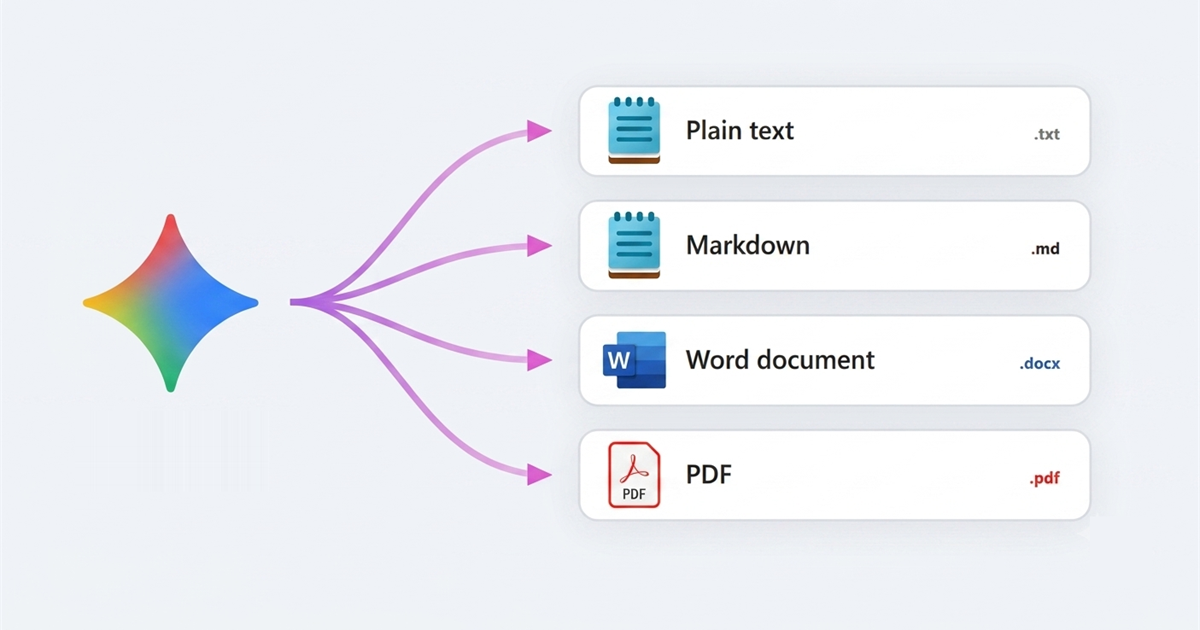
That last set of gaps is what Superpower for Gemini fills. It adds a second export button to the chat header, next to Gemini's own controls, opening a dialog called Export Chat with six formats and a copy button.
| Format | Good for | What survives |
|---|---|---|
.txt |
Pasting anywhere, archiving | Structure only. Tables redrawn in ASCII, bold and italic left as literal asterisks |
.md |
Obsidian, Notion, a git repo | Everything, verbatim |
.docx |
Someone who edits in Word | Headings, lists, bold, italic, strikethrough, inline code, real Word tables, code blocks as shaded monospace |
.pdf |
A document to file or attach | The same structure, laid out by the extension, with Roboto embedded so accented and non-Latin text renders |
Styled .pdf |
Something that looks like the page | It prints the rendered conversation, so what you see is what lands in the file |
Print |
Paper, or your own printer's PDF | The same as .pdf, routed to the print dialog instead of a file |
The copy icon in the dialog header puts the whole conversation on the clipboard, which beats all six when the destination is another window.
Files come out named after the chat with the date appended, so
Quarterly_planning_notes_2026-07-28.pdf. Sorting a folder of them by name
groups them by topic first, date second.
Which format should I pick?
.md if the destination is another tool. It is lossless and every note app
reads it.
Styled .pdf if the conversation contains anything visual, because it is the
only one of the six built from the rendered page rather than from text. The
other five run through the extension's own markdown parsing, which does not
handle images or maths.
Thoughts and timestamps
The dialog carries two toggles with deliberately opposite defaults.
Include Gemini thoughts is off. Turn it on and each answer gets the model's reasoning above it in a marked block, separated from the answer.
Include timestamps is on, because a transcript with no times in it is hard to place six months later, and removing them is one click.
Does the export capture the whole conversation?
This decides whether an export is worth trusting, and it is invisible from the outside.
Gemini virtualises long chats. Only the messages near your viewport exist in the page at any moment; everything above is discarded and rebuilt when you scroll back. Anything that reads the page therefore sees a slice, and a naive export would save that slice while looking entirely correct.
So the export does not read the page first. It calls Gemini's own internal endpoint for the conversation and gets the full turn list regardless of what is on screen. If that fails it loads the chat in a background tab and asks again, and only then falls back to scraping, after scrolling the transcript to the top and waiting for its height to settle. That is why a two hundred message chat exports as completely as a five message one.
How to export several Gemini chats at once
Open Folders in the sidebar and switch to the Chats tab. Every chat you have is listed, searchable, with a checkbox each and a Select All. Tick what you want, open Bulk Actions, choose Export Selected.
That picker offers Plain Text (.txt), Markdown (.md), PDF Document (.pdf), Word Document (.docx), and Printable HTML, which opens a tab per chat rather than writing a file.
Two expectations to set. It produces one file per chat as ordinary downloads, not a single ZIP. And it has no thoughts or timestamps toggles, so a bulk export never contains thinking. Chats run five at a time with a retry, so a big batch takes a while and does not quietly drop the ones that stumbled.
Saving an answer as audio
Gemini's Listen control plays an answer aloud and leaves you nothing to keep.
The extension adds a Download audio button to the response's action row that
hands you an .ogg file.
Know what it is: the text of the answer read out through Gemini's own speech endpoint, capped at the first 5,000 characters. A spoken version of the answer, not a recording.
Can I export a Gemini chat to PDF?
Three ways, and they are different files. Gemini's own Download PDF in the
chat menu needs nothing installed. The extension's .pdf rebuilds the
conversation as a laid-out document with real tables and embedded fonts. Its
Styled .pdf prints the rendered page.
How do I export all my Gemini chats at once?
Google Takeout for a complete account archive, in HTML or JSON, with a wait measured in hours. The Chats tab with Select All and Export Selected for a folder of readable files in a few minutes. Different questions, and using both is reasonable.
Does Gemini's own export include my prompts?
From the chat menu, yes. From the menu under a single response, no. See the section above, because the two share a name and nothing else.
What can I export for free?
Everything native. On the extension side, copying a chat to the clipboard and saving an answer as audio are free and uncapped. Exporting to a file is capped per day on the free tier and resets overnight; that cap covers all six formats, and a bulk run spends one per chat exported, so thirty chats is thirty. Pro lifts it, along with the caps on folders, saved prompts and chains.
If you also use Google's notebook tool, which now sits in Gemini's own sidebar, its export situation is separate and I wrote it up in the guide on exporting a NotebookLM notebook.
Verified 2026.