

How Claude's usage limits actually work in 2026, the 5-hour window and the weekly cap
Claude stacks two limits, a five-hour session window and a weekly cap. Here is what counts toward each, and why a long chat costs more every turn.
Claude has two limits running at the same time, and they stack. The first is a five-hour session window that every plan gets, free included. The second is a weekly cap that only paid plans have, resetting at a fixed day and time assigned to your account. Everything you do on the web app, the desktop app, the mobile app and Claude Code draws from the same pool, so a heavy afternoon of coding is the reason the chat you open at dinner runs short.
Neither limit is counted in messages. Both are counted in tokens, which is why "how many messages do I get" has no answer.
The five-hour session window
The session limit resets every five hours. Anthropic's API calls it a rolling five-hour window, and the practical version is simpler than the terminology: the window has a reset timestamp, and when it passes, the meter goes back to zero.
Free accounts have this limit and nothing else. There is no weekly cap on the free tier because the session limit already does the work.
What surprises people is that the window is shared across every model and every surface. Switching from one model to another does not give you a fresh allowance, because the session limit applies across all models. Nor does opening a new conversation, or moving from the web app to the desktop app. One account, one five-hour bucket.
The weekly cap
Paid plans add a weekly limit on top. This is the one that catches people out, because it is invisible until the week you are unusually busy.
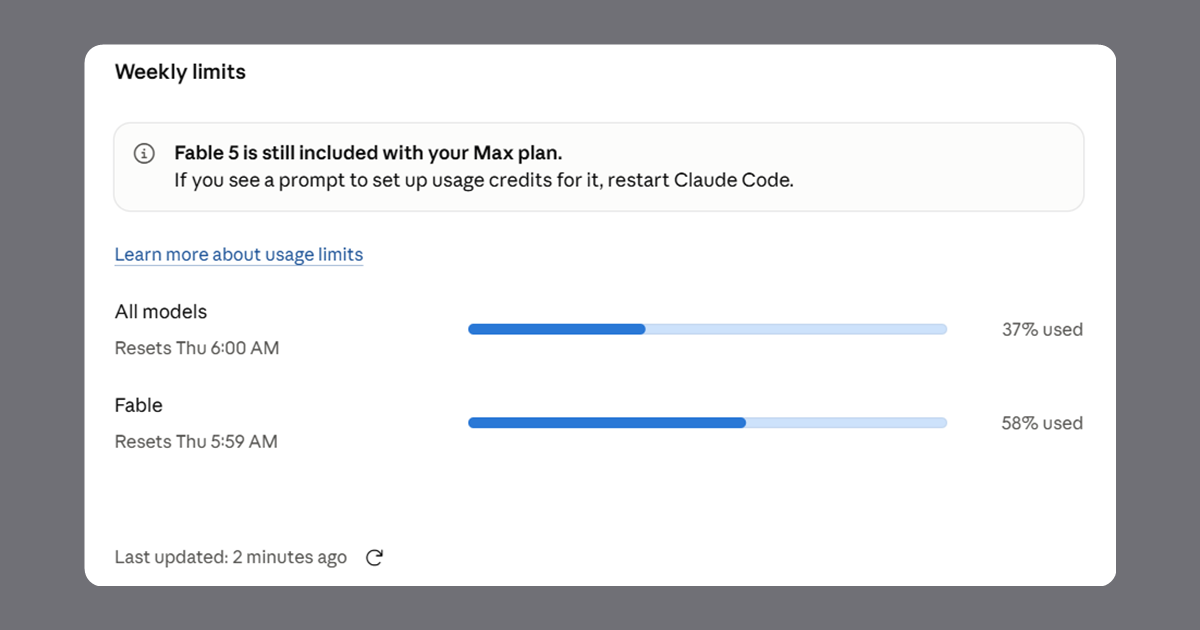
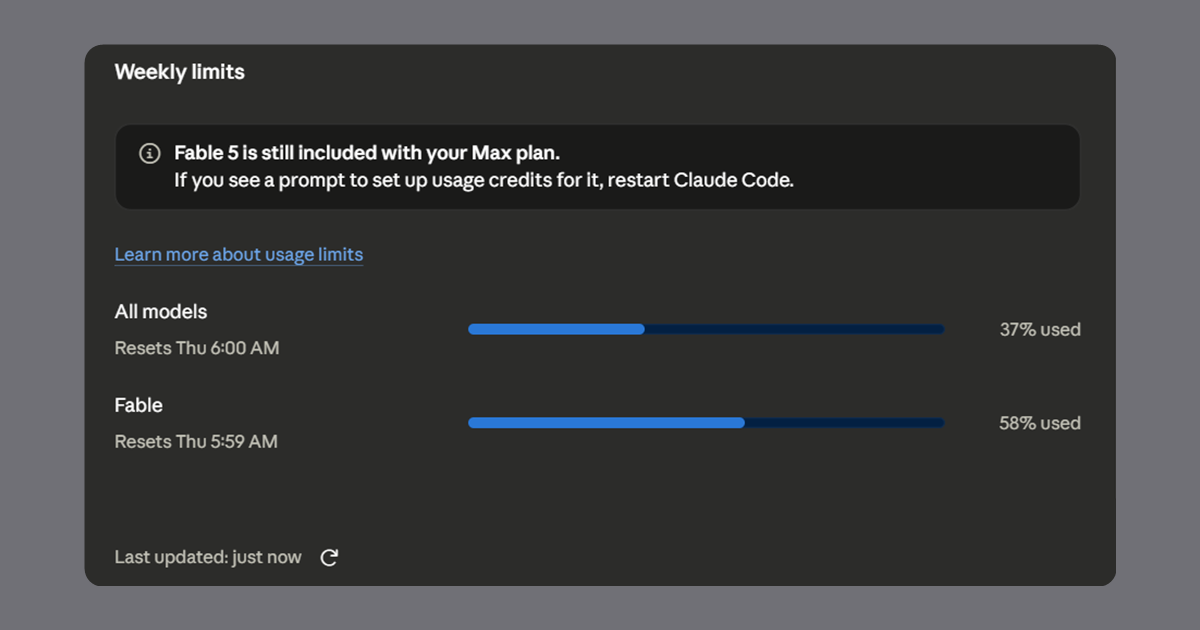
Pro has a single weekly limit that applies across all models. Max has that same weekly limit plus a ceiling on how much of it the heaviest model can eat. Fable 5 draws from the ordinary weekly allowance, spends it faster than other models do, and can consume at most half of it. Hit that ceiling and you have two options: switch to another model and keep working inside the weekly limit you have left, or turn on usage credits and stay on Fable.
On Pro, Fable 5 is not part of the plan at all. It runs on usage credits only, which is a different arrangement from every other model on that tier.
Which model carries the extra ceiling has changed more than once as the lineup has moved, so treat your own Settings screen as the authority rather than any article, including this one. It shows the meters your account actually has.
The reset schedule is the detail worth internalising. Weekly limits reset at a fixed time each week that is assigned to your account. That day and time stay the same no matter when you subscribed and no matter when you started using Claude in a given week, and you get the full allowance each cycle. It is not seven days from your first message and not midnight on Sunday. It is whatever slot your account was given, which you can read in Settings.
So if your weekly meter reset at, say, 4am on a Thursday, that is not a bug and not a timezone rounding error. That is your assigned slot, and it will be the same slot next week.
What counts toward each limit?
Both limits count the same things. The only difference between them is the size of the bucket and how often it empties.
| What you do | Why it costs more |
|---|---|
| Write a long message | More input tokens, directly |
| Attach a file | The whole file is read, every turn it stays in context |
| Keep a conversation going | The entire history is resent with each new message |
| Pick a heavier model | Larger models cost more per token |
| Raise the effort level | More thinking tokens before the answer starts |
| Use extended thinking | Same reason, and it is genuinely token intensive |
| Turn on web search, Research or an MCP connector | Tool results come back into context and stay there |
| Generate an artifact | The artifact is written, and rewritten on each revision |
| Run Claude Code | Files read and diffs produced accumulate in the same session |
The one on that list people underestimate is the second to last: a long debugging session where Claude has read twenty files and produced fifteen diffs is carrying all of that on every subsequent message.
Why a long conversation costs more with every message
This is the single most useful thing to understand, and it is not obvious from the interface.
Claude has no memory between messages. What creates the impression of memory is that the entire conversation gets sent again with every turn. Message forty in a thread costs far more than message four, not because the question is harder, but because thirty-nine previous exchanges ride along with it.
Three things follow from that.
Start a new chat when the topic changes. Not out of tidiness. A fresh thread drops the accumulated history from every future message in it.
Put reference material in a Project, not in the chat. Documents uploaded to a Project are cached, and when you reference that content only the new or uncached portions count against your limit. A 40 page specification pasted into a conversation is paid for on every turn. The same specification in a Project knowledge base is paid for once.
Batch your questions. Three related questions in one message cost roughly one message's worth of history. The same three sent separately cost three, each carrying everything before it.
Where can I see how much I have left?
On Pro, Max, Team and seat based Enterprise plans, Settings and then Usage shows progress bars for both the session window and the weekly limits, along with when each one resets.
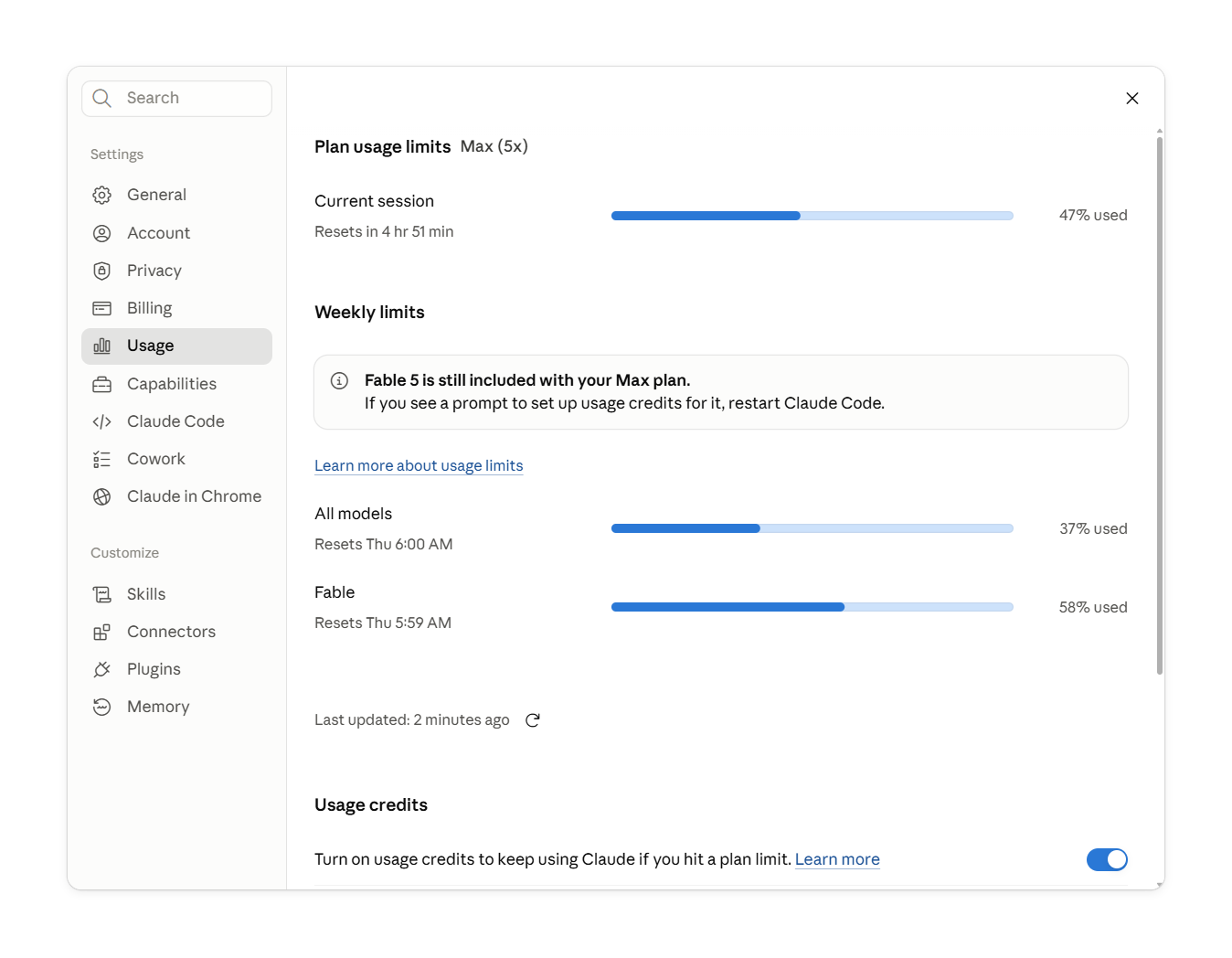
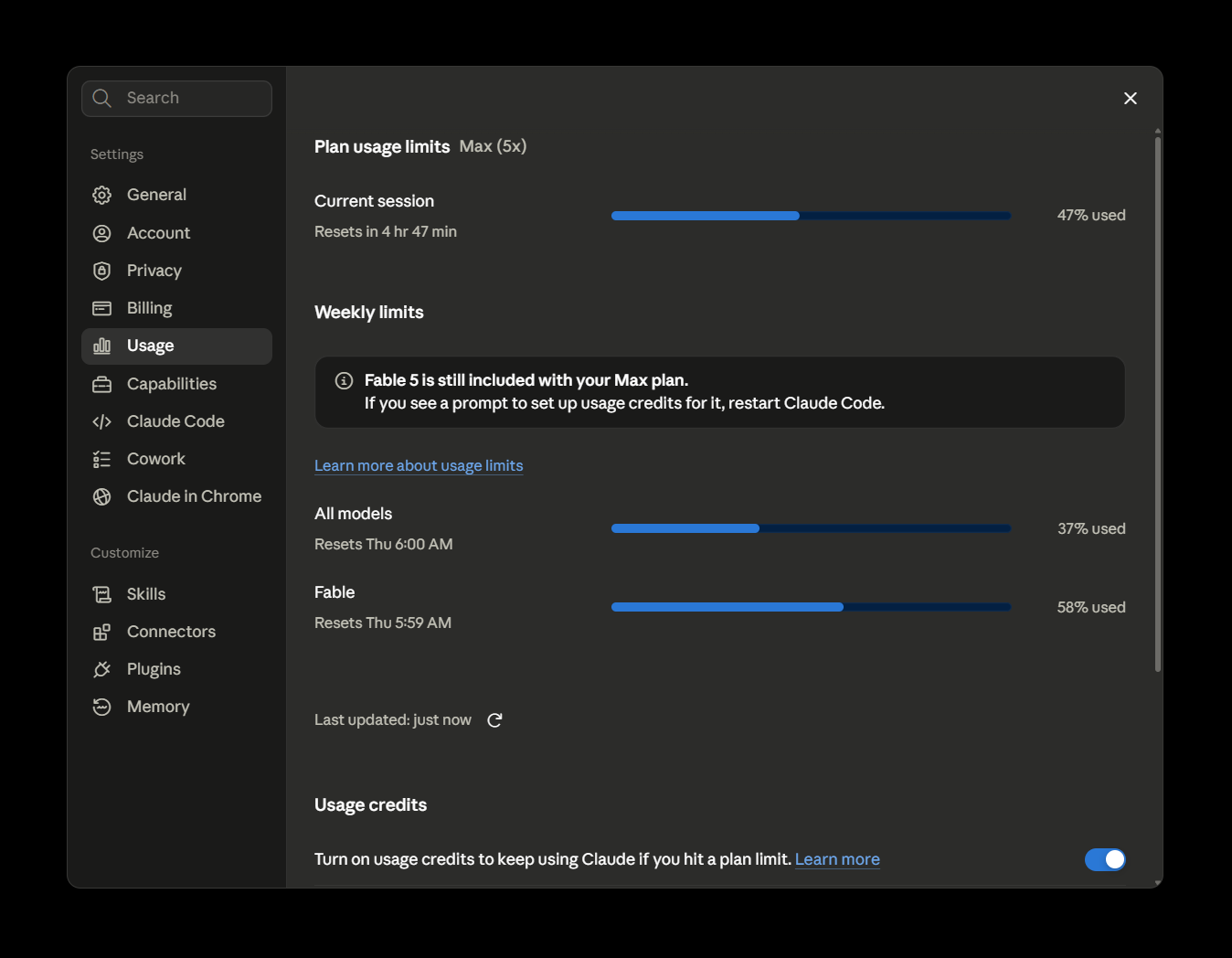
That screen is accurate and complete. Its only flaw is that it is a screen, and checking it means leaving the conversation you are in the middle of, which nobody does often enough to catch a limit before it lands.
Watching your usage without leaving the chat
That gap is what the usage counter in Superpower for Claude fills. It puts a small pill in the row above the message input showing how much of your five-hour window you have used, and it reads the same account endpoint Claude's own Usage screen reads, so the numbers match by construction rather than by estimate.
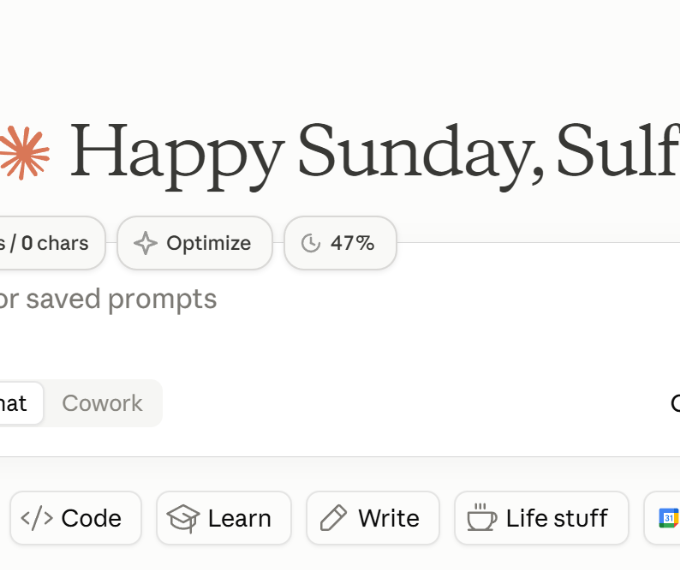
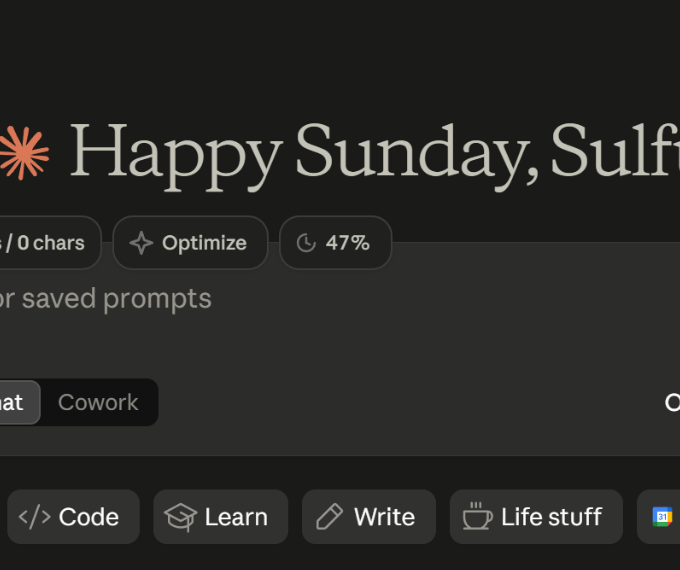
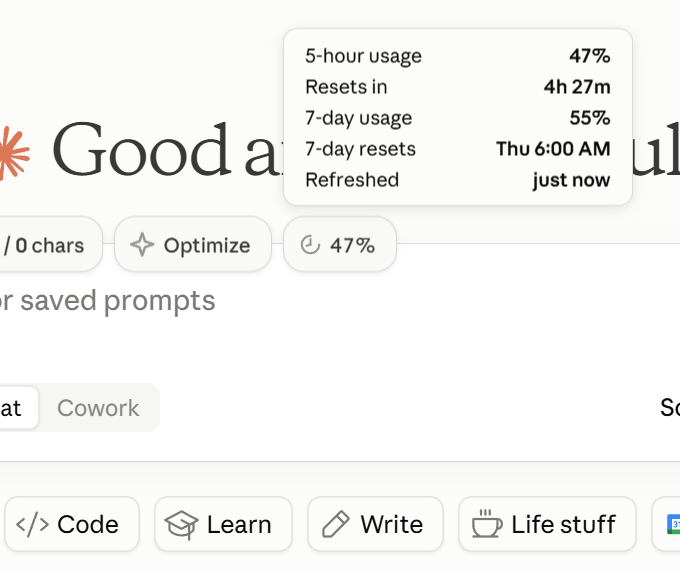
Collapsed, it shows one number by default: the percentage of your five-hour window you have spent. The countdown appears only when that window is used up, and it replaces the percentage rather than joining it, because once you are at 100 percent the only number you care about is when you can work again.
The countdown is also a toggle of its own if you want it there all the time.
Turn it on alongside the percentage and the pill reads 72% / 2h 15m.
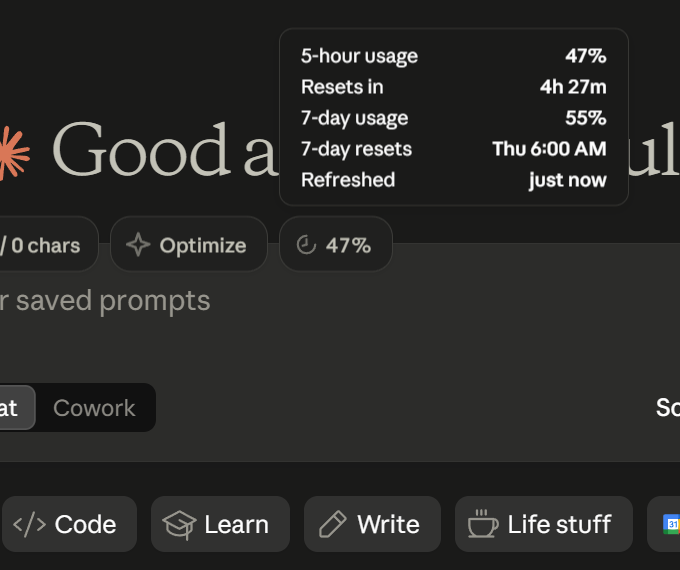
Click it and it expands into the full picture: five-hour usage and its reset countdown, seven-day usage and its reset day and time in your local format, and when the figures were last refreshed. That last row exists so a stale number can never be mistaken for a live one.
It refreshes every two minutes, whenever you switch chats, and the moment a response finishes generating, which is exactly when the figure has just changed. Repeat requests are throttled to one every five seconds so that opening and closing the panel does not hammer the endpoint. The last reading is cached locally, so the pill shows a real number the instant a page loads rather than a dash that resolves a second later.
It is free, and it is a toggle in the extension popup like every other feature, so if you would rather not see a number while you work, turn it off.
What happens when I hit a limit?
You wait for the reset, and the app tells you when that is.
Paid plans have a second option: enable usage credits, and work past the plan limit gets billed at standard API rates instead of stopping. Session limits still reset every five hours as usual, so credits are a bridge across a bad afternoon rather than a replacement for the plan. Pro and Max subscribers can also buy discounted usage bundles up to a monthly ceiling, and those only draw down after the plan's own allowance is gone. If you subscribed through one of the mobile apps, credits can only be enabled on the web.
Does switching models get me more usage?
No. The session and weekly limits are shared across all models, so moving from a larger model to a smaller one does not restore access to a limit you have already reached.
It does change the rate you spend at, which matters before you hit the wall rather than after. The one real exception is the Fable 5 ceiling on Max: when that specific meter runs out, the ordinary weekly allowance still has room in it, so moving to another model genuinely does keep you working.
Does Claude Code count against the same limit as the website?
Yes. Web, desktop, mobile and Claude Code all draw from the same pool. There is no separate Claude Code allowance on a Pro or Max plan, which is why a morning in the terminal shows up in the afternoon in the browser.
Why does Anthropic not publish a message count?
Because the number would be wrong for almost everyone. How many messages you get depends on message length, attachment size, how long the conversation has run, which model you chose, the effort level and which tools are switched on. A figure like "45 messages every five hours" would be accurate for one usage pattern and misleading for the rest. The percentage in Settings is the real answer, which is the argument for having it somewhere you actually look.
Verified 2026.